Online Proctoring: How It Works
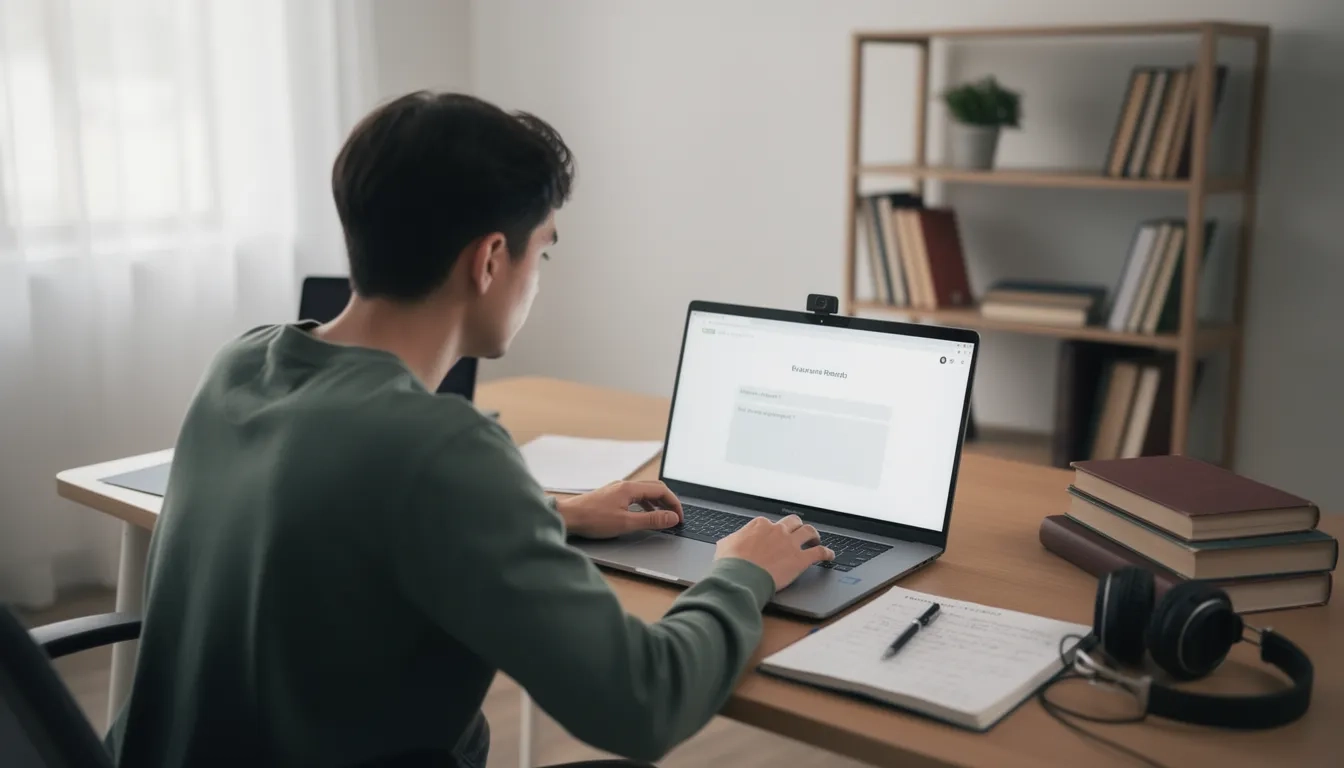
You get the email a week before finals: "This exam will be proctored using [insert software you've never heard of]." Suddenly you're googling whether you need to buy a webcam, whether your cat walking through the room counts as a violation, and whether the "AI" watching you is actually a robot deciding your academic fate. It's a weird, slightly invasive thing to have to think about before a test on organic chemistry or macroeconomics — and honestly, most syllabi do a terrible job of explaining it.
So let's actually break down how this stuff works: what the software is doing on your computer, what triggers a "flag," who really reviews those flags, and what students, courts, and privacy researchers have found when they've looked under the hood. This isn't a scare piece and it isn't a sales pitch — it's what you need to know before you click "begin exam."
The Three Basic Flavors of Online Proctoring
Almost every proctoring tool on the market is a variation on three approaches, and schools often combine more than one.
Lockdown browsers. These lock your computer into a single-application mode so you can't open new tabs, copy and paste, print, take screenshots, use a second monitor, or run other software in the background. Respondus LockDown Browser is the most widely used example. Under the hood, a lockdown browser disables common keyboard shortcuts (Alt+Tab, Ctrl+C/V, Print Screen), blocks virtual machines and remote-desktop software, and forces "kiosk mode" so the exam is the only thing your machine can do until you submit. It's essentially a fence around your screen — but a fence has no idea what's happening on the other side of your desk.
AI/automated monitoring. This is where your webcam and microphone come in. Software like Respondus Monitor records you throughout the exam and runs the footage through algorithms that track your face, eye movement, head position, lighting changes, and background noise. The AI builds a pattern of "normal" behavior for you in the first few minutes, then flags moments that deviate from it — looking away from the screen repeatedly, another voice in the room, a face leaving the frame, a phone-shaped object appearing near the keyboard.
Live human proctoring. A real person watches you, either continuously through the whole exam (the ProctorU model, historically) or on an as-needed basis when the AI decides something looks off. Honorlock, for example, runs AI monitoring by default and only pulls in a live proctor to pop into your screen and chat with you if its algorithm senses a problem — rather than staffing a human for every single test-taker the entire time. Honorlock's system also uses smart voice detection tuned to listen for specific cheating-adjacent phrases, like someone saying "Hey Siri" or "Hey Google," rather than flagging every cough or dog bark.
Here's the part worth sitting with: an AI flag is not an accusation. It's a bookmark. The system tags a timestamp in your recording as "review this," and in most implementations a human — usually your instructor, sometimes a proctoring-company reviewer — actually watches that clip before anyone decides anything. The AI doesn't convict you; it hands your professor a highlight reel.
What Actually Gets Flagged
Based on how these systems are documented to work, common triggers include:
- Your face leaving the webcam frame for more than a few seconds
- Multiple faces detected, or a voice that isn't yours
- Excessive eye movement away from the screen (reading off a second screen, glancing at notes)
- A phone or other device detected in frame
- Browser tab switches, if a full lockdown isn't in use
- Unusual typing patterns, mouse behavior, or long pauses compared to your own baseline
- Room noise interpreted as talking, or specific trigger words
- Lighting changes, or lighting too dim for the face-detection model to work at all
That last one matters more than people realize, and we'll come back to it.
Comparison: How the Major Platforms Differ
| Platform | Core Approach | Webcam/Mic Recording | Live Human Involvement | Browser Lockdown | Best Known For |
|---|---|---|---|---|---|
| Respondus LockDown Browser | Browser restriction only | No (unless paired with Monitor) | No | Yes, strict | Blocking tabs/copy-paste cheaply and simply |
| Respondus Monitor | AI video/audio analysis | Yes, full recording | No (instructor reviews flags after) | Yes (built on LockDown Browser) | AI comparing your behavior to other test-takers' patterns |
| Honorlock | AI monitoring + on-demand human | Yes | Only when AI flags something | Yes, via Chrome extension | "Pop-in" live proctors instead of constant human staffing |
| ProctorU | Live human proctoring (historically) + AI options | Yes | Often continuous, real person watching | Yes | Human-heavy, higher-touch model |
| Proctorio | AI monitoring, highly configurable by instructor | Yes | Instructor-configured, often no default human review | Yes, extension-based | Instructor-adjustable flag sensitivity; also the most legally scrutinized |
"An AI flag is not a finding — it queues a moment for human review." That single sentence, echoed across research on these tools, is the most useful thing to remember before your next proctored exam.
The Room Scan: What It Is and Why It's Controversial
Many proctored exams start with a "room scan" — you pan your webcam around your desk, walls, and sometimes your whole bedroom so a human or algorithm can confirm there's no phone, textbook, or second person hiding nearby. It sounds like a minor formality. It became a federal court case.
In Ogletree v. Cleveland State University, a chemistry student was told, two hours before his exam, that he'd need to submit to a webcam scan of his bedroom. He sued, arguing it violated his Fourth Amendment protection against unreasonable searches. In August 2022, a federal judge agreed — ruling that Cleveland State's room-scan practice was unreasonable and that Ogletree's privacy interest in his own home outweighed the university's interest in exam integrity. It was reportedly the first ruling to extend Fourth Amendment protection to a student's home during a remote test. The ruling didn't ban room scans everywhere, but it put universities on notice that "we need to see your bedroom to prevent cheating" isn't a legal blank check.
The Bias Problem Nobody Loves Talking About
Facial-detection software has to actually see your face to work — and multiple independent investigations have found that some of these systems are measurably worse at detecting darker skin tones. Research examining Proctorio's face-detection performance found it failed to detect faces in images of Black test-takers 57% of the time in some testing, and in certain cases the same algorithm detected a white face but not a Black face in a nearly identical pose. Peer-reviewed research on automated proctoring software more broadly found accuracy gaps by skin tone and gender, with the lowest accuracy for people with the darkest skin tones.
The real-world consequence isn't abstract: students have reported being told "due to poor lighting, we are unable to identify your face" mid-exam — including reports of this happening during bar exam sittings, one of the highest-stakes tests a person can take. Some Black and Afro-Latina students have said they've had to shine bright lights directly on their faces just to get the software to register them, burning through exam time before the test even starts.
Common Misconception: "All Proctoring Software Works the Same Way, and a Flag Means You're Accused"
This is the big one, and it causes a lot of unnecessary panic. Two things people routinely get wrong:
"They're all identical." They're not. As the comparison table above shows, a lockdown browser (Respondus LockDown Browser alone) can't see or hear you at all — it just restricts what your computer can do. That's a completely different privacy and technical footprint than Honorlock's AI-plus-pop-in-human model, or ProctorU's traditionally human-heavy live monitoring. Knowing which one your school uses changes what you should actually worry about. If it's lockdown-only, worry about your setup, not your webcam angle.
"Getting flagged means you've been accused of cheating." In the documented design of these systems, a flag is generated automatically by an algorithm looking for statistical deviations — it is explicitly not a determination of academic dishonesty. It's a marker in a timeline that says "a human should look at this clip." Plenty of flags are triggered by completely innocent things: your little brother walking in, your dog barking, glancing up to think through a problem, bad Wi-Fi causing a video glitch that the algorithm reads as a gap. Your instructor (or, in some models, a proctoring-company reviewer) is generally supposed to watch the flagged moment in context before anything happens. That said — and this matters — not every school reviews every flag carefully, and there are documented complaints of instructors treating raw flag counts as evidence on their own. If you get an academic-integrity notice based on a proctoring flag, you're entitled to ask to see the actual clip, not just the flag count.
The Lawsuits and Pushback You Should Know About
This isn't a fringe complaint — it's a well-documented pattern:
- Biometric privacy claims. Students sued ProctorU (Thakkar v. ProctorU) alleging the company collected and stored biometric data, including facial geometry, without proper consent under state biometric privacy laws. A federal court ultimately found that a choice-of-law clause in ProctorU's terms of service blocked the claim — a reminder that clicking "I agree" before an exam matters more than most students assume.
- Proctorio v. Linkletter. Proctorio sued Ian Linkletter, a University of British Columbia learning-technology specialist, after he tweeted links to the company's own unlisted YouTube videos explaining how its software works, alongside public criticism. Digital rights groups, including the EFF, called it a SLAPP suit — a lawsuit designed to intimidate a critic rather than win on the merits. Linkletter won on appeal in 2022, and the case fully concluded years later, but it became a widely cited example of a proctoring vendor responding to criticism with litigation instead of transparency.
- Institutional retreat. The pushback has had real effects: the University of Colorado Boulder chose not to renew its Proctorio license heading into the 2023–24 school year, citing high cost relative to how little the tool was actually being used, and usage data elsewhere shows a real decline — roughly 34% of students in one dataset used Proctorio at pandemic peak versus about 21% by fall 2023.
- Anxiety and disability concerns. A University of Texas at Austin committee report found that the invasive nature of these tools, plus on-screen warnings that pop up mid-exam, cause significant student anxiety — and researchers have separately documented that proctoring surveillance creates distinct, often under-discussed burdens for students with disabilities, from needing to explain stimming or assistive devices on camera to accommodation requests getting lost in a vendor's standardized flagging system.
None of this means proctoring software is universally "bad" — schools adopted it because take-home, unsupervised exams do get shared, screenshotted, and sold online, and that's a real problem for academic integrity. But it does mean the tools are imperfect, unevenly applied, and legally contested — not a neutral, infallible security camera.
What You Should Actually Do Before a Proctored Exam
- Find out exactly which tool your class uses — lockdown-only, AI-monitored, or live-human — and read what it actually does, not just the vague line in your syllabus.
- Test your setup a day early. Webcam, mic, lighting (facing a light source, not backlit), and internet connection. A big share of "flags" are just bad lighting or a shaky Wi-Fi connection being misread as suspicious behavior.
- Do the room scan calmly and completely the first time so you're not scrambling minutes before the exam starts.
- If you have an accommodation (disability, anxiety, a shared living space, a child in the house), contact your professor or disability services office before exam day — most policies allow adjustments, but almost none of them are automatic.
- Know your rights if you're flagged. Ask to see the actual clip in context, not just a flag count, before accepting any consequence, and check your school's academic-integrity appeal process.
- Read the privacy policy once. You're agreeing to biometric data collection and storage, sometimes for a set retention period, sometimes longer than you'd expect.
Bottom Line
Online proctoring is a mix of three tools — lockdown browsers, AI video/audio analysis, and human review — and they get combined differently by every vendor, so "proctored exam" doesn't mean one specific experience. An automated flag is a bookmark for a human to check, not a verdict, though not every school treats it that way in practice. And the technology has real, documented problems: it's been ruled unconstitutional in at least one room-scan case, shown measurable racial bias in face detection, and drawn lawsuits over both biometric privacy and the treatment of its critics. Go in prepared, test your equipment, know exactly which product your school is using, and don't panic if you get an on-screen warning — but do take the privacy and fairness concerns seriously enough to ask your school what its actual review process looks like.
FAQ
Does online proctoring record video and audio the entire time? Depends on the tool. Full AI-monitoring platforms like Respondus Monitor or Proctorio typically record continuous webcam video and audio for the whole exam. A lockdown-browser-only setup like plain Respondus LockDown Browser doesn't record you at all — it just restricts what your device can do.
If I get flagged, does that mean I failed or got accused of cheating? No. A flag is an automated marker for a human to review, not an accusation. Ask your instructor whether they reviewed the actual clip before any action is taken, and ask to see it yourself if you're contesting a result.
Can proctoring software see other browser tabs or apps on my computer? Lockdown browsers actively block access to other tabs, apps, virtual machines, and remote-desktop tools during the exam — that's their main job. Whether the company logs which apps you tried to open depends on the specific product and your school's settings, which are usually disclosed in the tool's privacy policy.
Is it legal for a school to make me scan my room with my webcam? It's contested. A federal court ruled in Ogletree v. Cleveland State University that a mandatory room scan violated a student's Fourth Amendment protections in that specific case, but the ruling didn't create a nationwide ban — schools' policies still vary, and the legal landscape is still developing.
Why do some students, especially with darker skin, have trouble getting the facial-detection software to work? Documented research, including analysis of Proctorio's face-detection accuracy, found significantly higher failure rates for darker skin tones. It's a real, studied limitation of the underlying computer-vision technology, not something you're doing wrong — if it happens, contact your instructor or tech support immediately rather than losing exam time to it.
Can I request accommodations if proctoring software makes me anxious or conflicts with a disability? Usually yes, but you generally need to ask in advance through your school's disability services or directly with your professor — accommodations are rarely applied automatically, and waiting until exam day to raise the issue makes it much harder to get one in time.
Sources
- How do Honorlock and Respondus Monitor Make Use of Artificial Intelligence? – OTL Knowledge Base
- From detecting phones to using decoy sites, Honorlock raises online test surveillance concerns
- In re Online Test Proctoring Companies
- Students Are Pushing Back Against Proctoring Surveillance Apps
- Alabama Federal Court Finds Choice-of-Law Provision Bars BIPA Privacy Lawsuit Against Online Examination Company
- Ogletree v. Cleveland State University
- Test proctoring room scans ruled unconstitutional at Cleveland State University
- Proctorio Is Using Racist Algorithms to Detect Faces
- Racial, skin tone, and sex disparities in automated proctoring software
- Student Surveillance Vendor Proctorio Files SLAPP Lawsuit to Silence A Critic
- Proctorio Loses Appeal in Lawsuit Against Academic Critic
- Online Proctoring Needs Assessment – CU Boulder OIT
- Can Browser Lockdown Software Prevent Cheating on Exams?
- Surveillance and Disability in Online Proctored Exams: Student Perspectives and Design Implications